Neighborhood 扩展
Watch the demo
直接在 goose 对话里向附近餐厅点餐。目前商家位于美国。
本教程介绍如何配置 Neighborhood 扩展,并用它发现附近餐厅、浏览菜单、组建购物车并结账。全程通过和 goose 的自然对话完成。
快速安装
- goose Desktop
- goose CLI
使用 goose configure 添加 Remote Extension (Streamable HTTP),并填写:
端点 URL
https://connect.squareup.com/v2/mcp/neighborhood
配置
- goose Desktop
- goose CLI
- Launch the installer
- Click
Yesto confirm the installation - Click the button in the top-left to open the sidebar
- Navigate to the chat
- Run the
configurecommand:
goose configure
- Choose to add a
Remote Extension (Streamable HTTP).
┌   goose-configure
│
◇  What would you like to configure?
│  Add Extension
│
◆  What type of extension would you like to add?
│  ○ Built-in Extension
│  ○ Command-line Extension
│  ● Remote Extension (Streamable HTTP) (Connect to a remote extension via MCP Streamable HTTP)
└
- Give your extension a name.
┌   goose-configure
│
◇  What would you like to configure?
│  Add Extension
│
◇  What type of extension would you like to add?
│  Remote Extension (Streamable HTTP)
│
◆  What would you like to call this extension?
│  Neighborhood
└
- Enter the Streamable HTTP endpoint URI.
┌   goose-configure
│
◇  What would you like to configure?
│  Add Extension
│
◇  What type of extension would you like to add?
│  Remote Extension (Streamable HTTP)
│
◇  What would you like to call this extension?
│  Neighborhood
│
◆  What is the Streamable HTTP endpoint URI?
│  https://connect.squareup.com/v2/mcp/neighborhood
└
- Enter the number of seconds goose should wait for actions to complete before timing out. Default is
300seconds.
┌   goose-configure
│
◇  What would you like to configure?
│  Add Extension
│
◇  What type of extension would you like to add?
│  Remote Extension (Streamable HTTP)
│
◇  What would you like to call this extension?
│  Neighborhood
│
◇  What is the Streamable HTTP endpoint URI?
│  https://connect.squareup.com/v2/mcp/neighborhood
│
◆  Please set the timeout for this tool (in secs):
│  300
└
- Enter a description for this extension.
┌   goose-configure
│
◇  What would you like to configure?
│  Add Extension
│
◇  What type of extension would you like to add?
│  Remote Extension (Streamable HTTP)
│
◇  What would you like to call this extension?
│  Neighborhood
│
◇  What is the Streamable HTTP endpoint URI?
│  https://connect.squareup.com/v2/mcp/neighborhood
│
◇  Please set the timeout for this tool (in secs):
│  300
│
◆  Enter a description for this extension:
│  Discover nearby restaurants, browse menus, and place takeout orders through natural conversation.
└
- Choose
Nowhen asked to add custom headers.
┌   goose-configure
│
◇  What would you like to configure?
│  Add Extension
│
◇  What type of extension would you like to add?
│  Remote Extension (Streamable HTTP)
│
◇  What would you like to call this extension?
│  Neighborhood
│
◇  What is the Streamable HTTP endpoint URI?
│  https://connect.squareup.com/v2/mcp/neighborhood
│
◇  Please set the timeout for this tool (in secs):
│  300
│
◇  Enter a description for this extension:
│  Discover nearby restaurants, browse menus, and place takeout orders through natural conversation.
│
◆  Would you like to add custom headers?
│  No
│
└  Added Neighborhood extension
使用示例
Neighborhood 最有用的时候,是 goose 把它和你当天的上下文结合起来:日程、目标和饮食需求。你可以让 goose 根据你正在做的事来判断该吃什么,而不只是搜餐厅。
本示例使用了 Anthropic 的 Claude 4 Opus。
第 1 步:找附近的餐厅
让 goose 找附近的午餐选择。可以带上位置、饮食限制,以及你接下来要做什么。goose 会把这些都考虑进去。
提示词:
用 neighborhood 扩展来处理。我今天想吃午饭。
我在纽约 375 W Broadway。今晚稍后要打网球。
能不能推荐一些让我打得更好的选择?
goose 输出
我来找找你附近的餐厅。

375 W Broadway(SoHo)附近有这些餐厅。赛前补充能量,我推荐:

适合清淡、无麸质的选择:

Ba'al Falafel(71 Sullivan St):地中海菜,有法拉费、鹰嘴豆泥和新鲜蔬菜,碳水加蛋白质都不错

Kale & Things:适合营养密度高的一餐,绿叶菜和瘦蛋白能持续供能,又不会吃得太撑

运动前进食建议:

- 开打前 2–3 小时吃,留出消化时间
- 以复合碳水和瘦蛋白为主,避开油腻厚重的食物
- 注意补水,可以考虑从 Steam & Sip 或 Drip Drop Café 买一杯饮料

需要我打开其中某家的菜单吗?
goose 会用 Neighborhood 扩展的交互界面,在对话里直接展示餐厅卡片。每张卡片包含名称、品类和地址,以及 View menu 按钮。
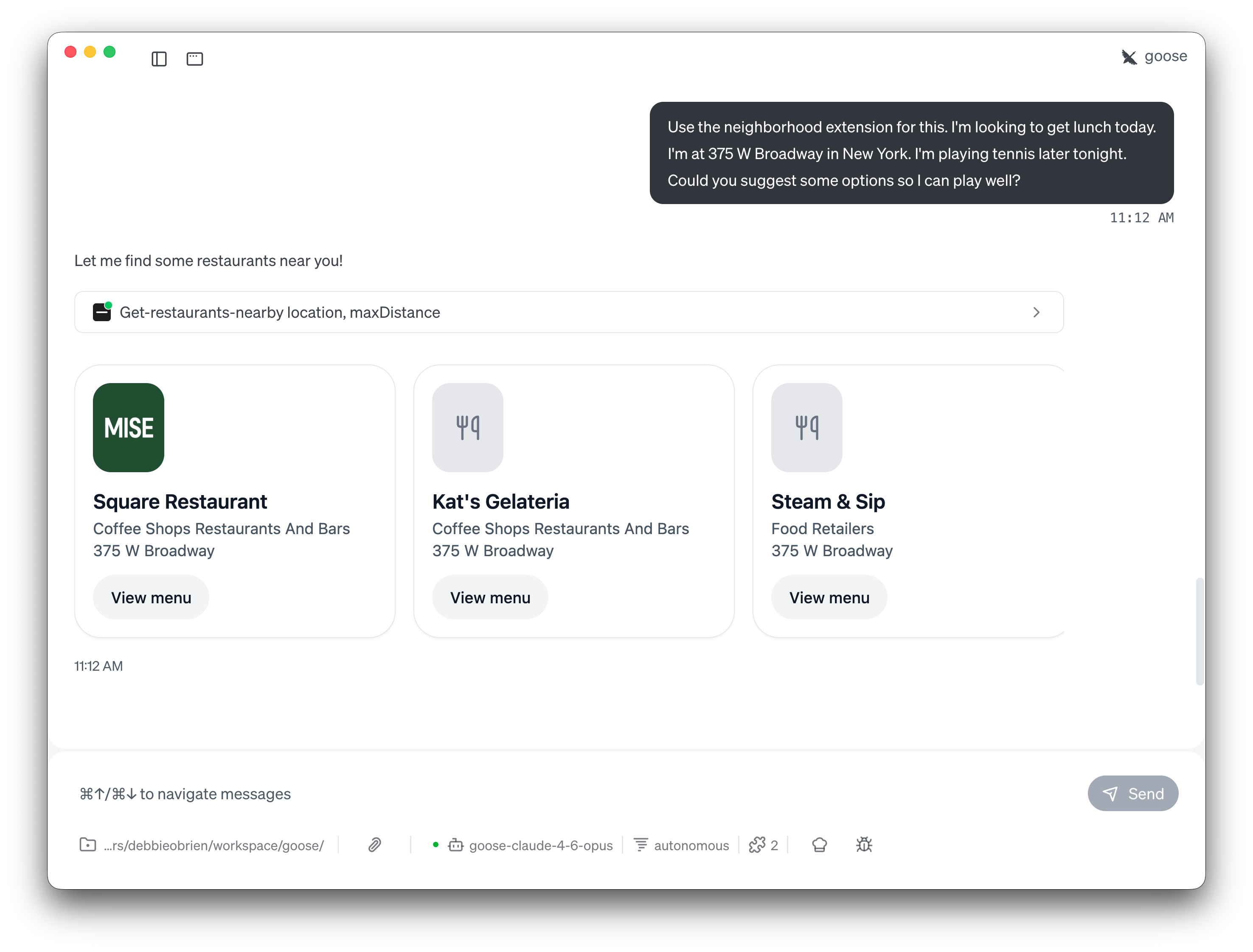
goose 不会只罗列餐厅,还会按你的情况调整推荐。因为你提到稍后要打网球,它会建议有能量但不太油腻的餐食,并附上赛前进食时间的建议。
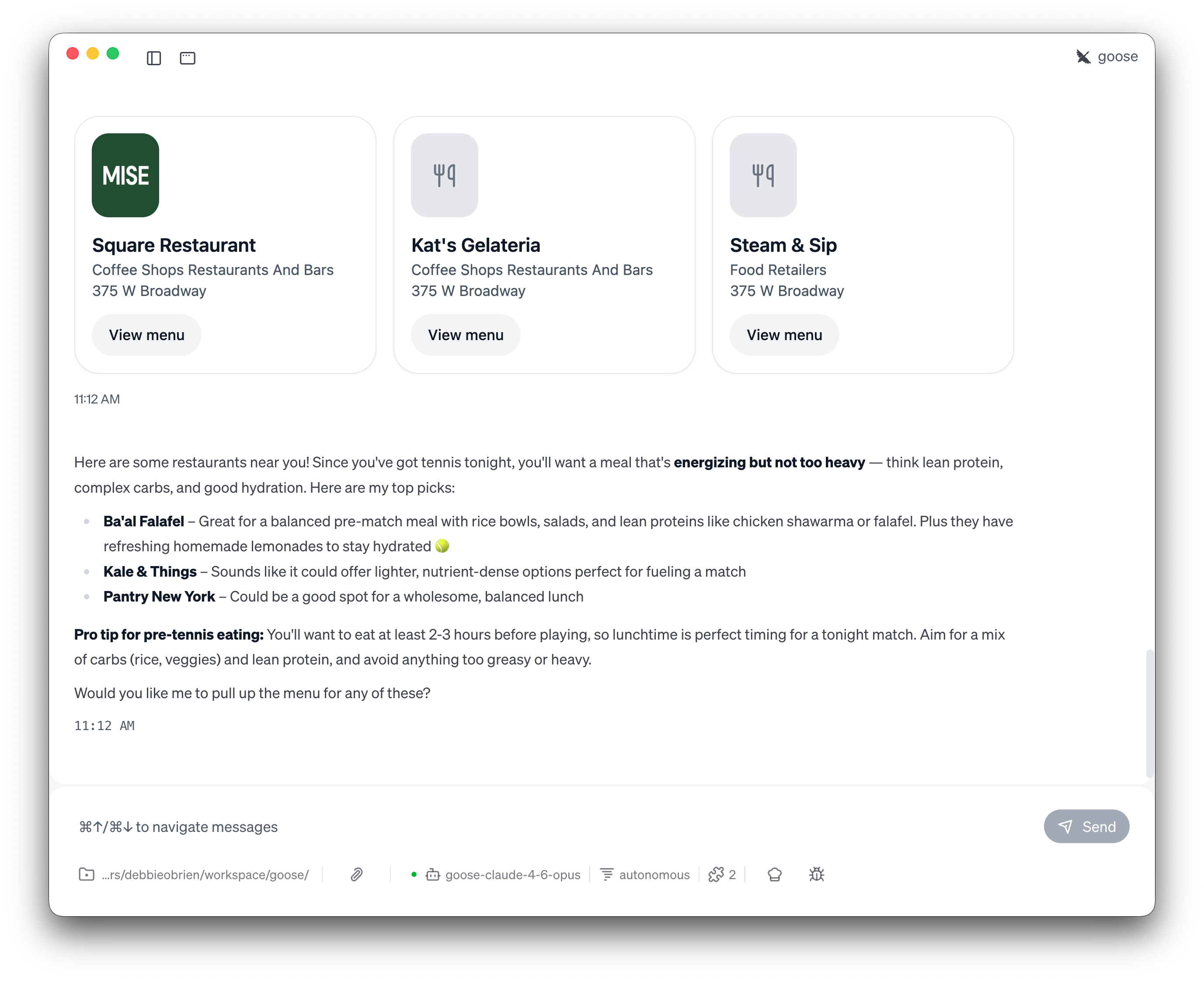
点击任意餐厅即可查看菜单。
第 2 步:浏览菜单
让 goose 打开某一家餐厅的菜单。交互式 MCP 应用会在对话里直接渲染完整可浏览的菜单,包括分类标签、菜品照片、价格和描述。
提示词:
我想看 Ba'al Falafel 的菜单。
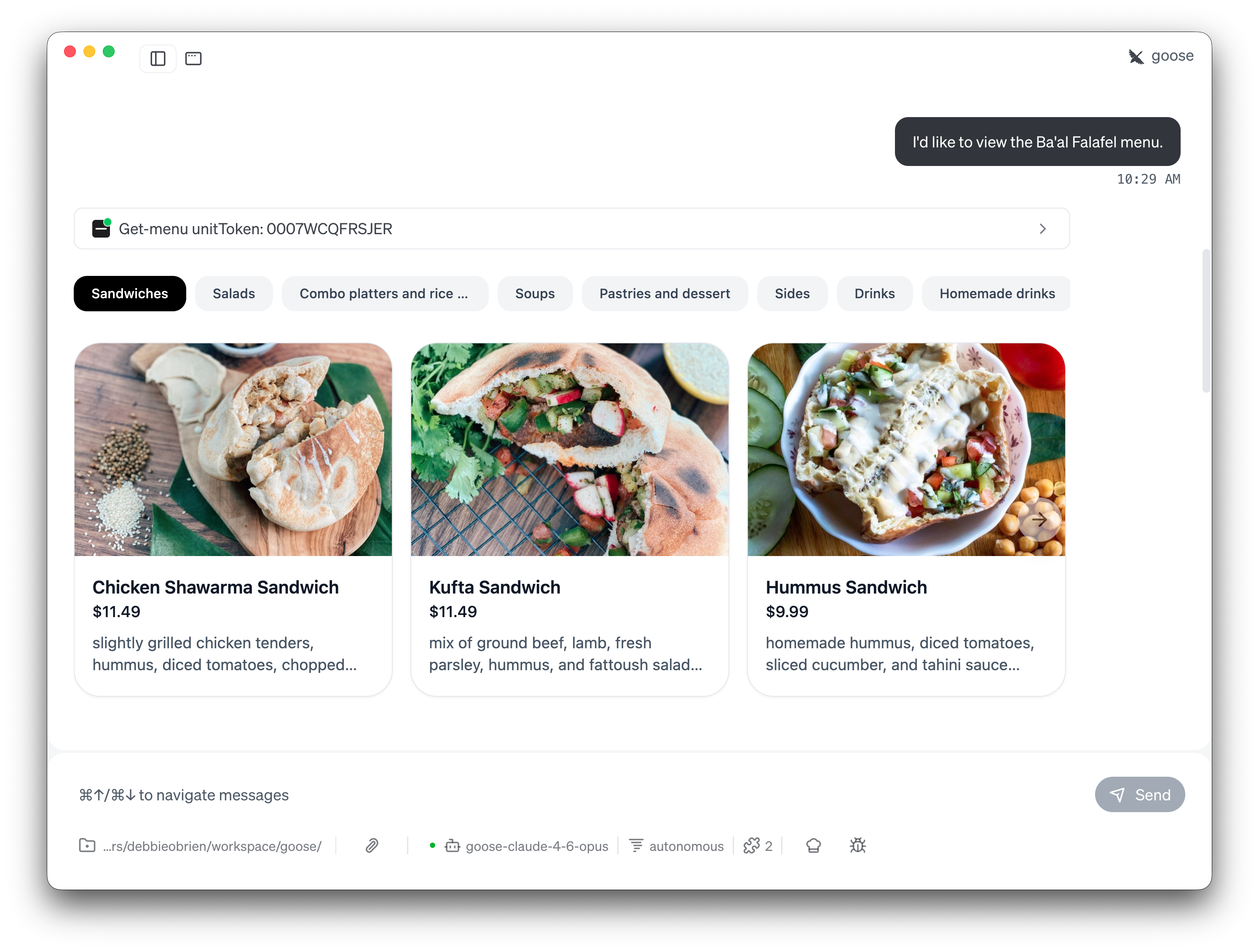
可以浏览全部菜品:Sandwiches、Salads、Combo platters、Soups、Pastries、Sides、Drinks 等。看到想点的,让 goose 加进购物车。
第 3 步:加入购物车并结账
告诉 goose 你想点什么,它会把商品加进购物车。推荐时也会考虑你的饮食偏好。
提示词:
帮我把 Beets Apple Salad、Lentil Soup 和 Ginger Lemonade 加进购物车。
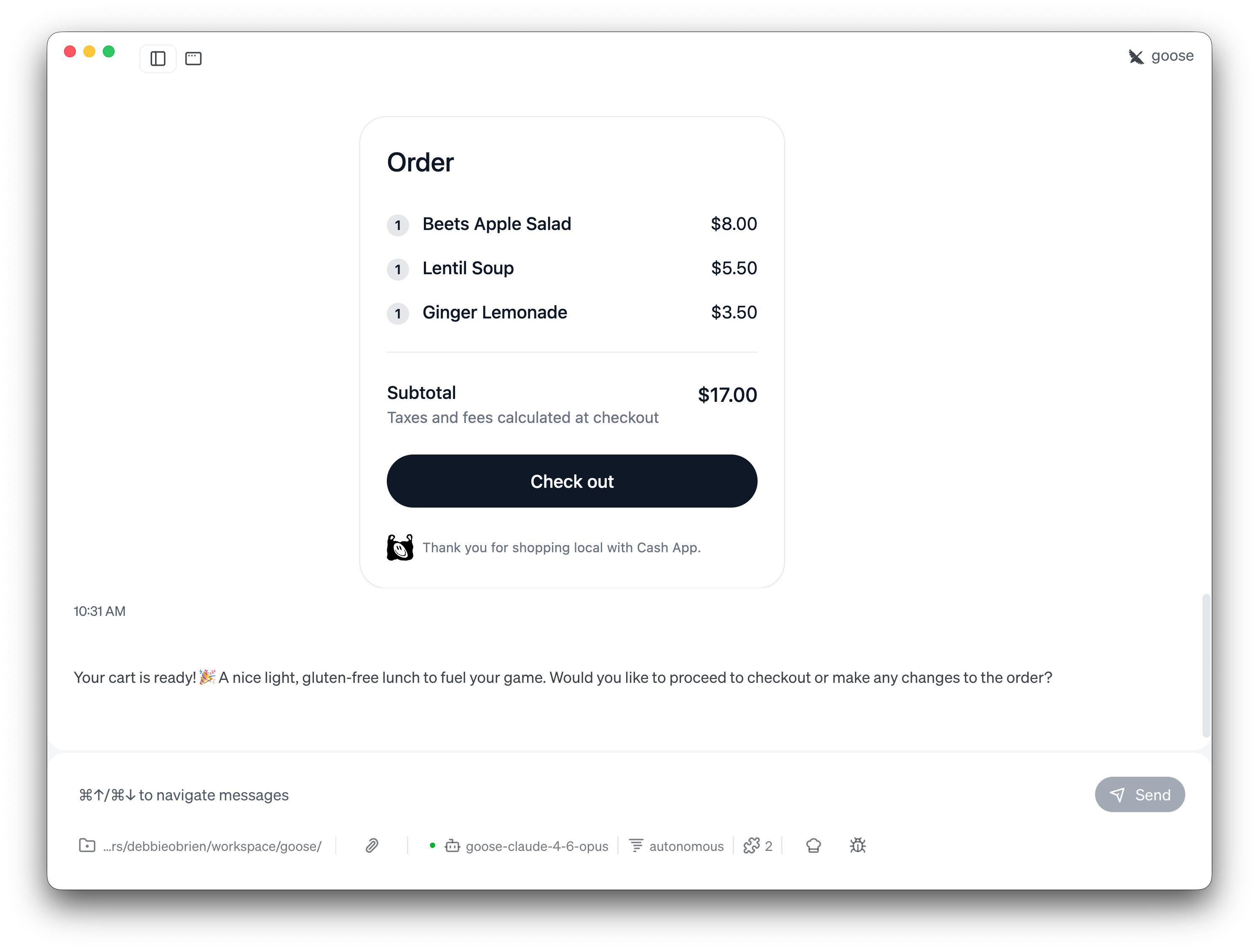
购物车已经准备好。点击 Check out 按钮,会直接进入由 Cash App 提供的支付页面。完成付款后,去取午餐就行。🎉
更多提示词思路
可以把 Neighborhood 和其他 goose 扩展搭配,做出更实用的工作流:
- 配合日历: 「看一下我今天的日历,在下午 1 点的会议之前,找个我能快速取餐的地方。我在 Union Square 附近。」
- 记录饮食: 「从 Sullivan St 那家店给我点一份鸡肉碗,并把宏量营养素记到我的饮食日记里。」
- 为聚会做计划: 「今晚我要在 Bryant Park 附近见 3 个朋友。找个素食选择不错、又不太吵的地方。」
视频演示
观看 Neighborhood 扩展的完整演示: